
Bank transaction processing
in Dynamics 365 Business Central 

Automate bank statement imports and payment reconciliation directly in Microsoft Dynamics 365 Business Central. Bankfeed connects your bank accounts with your ERP, identifies incoming and outgoing payments, and helps match transactions with customers, suppliers, G/L accounts and invoices. With bank transactions flowing into Business Central automatically, finance teams can work with more up-to-date information, spend less time on repetitive reconciliation tasks, and keep payment status visible inside the system they already use.

AUTOMATED, INTELLIGENT TRANSACTION PROCESSING

Core Functionalities

Bankfeed supports the key steps of bank transaction processing inside Business Central, from importing statement data to recognizing customers and suppliers and reconciling payments with open documents.

1 | Automatic bank statement import

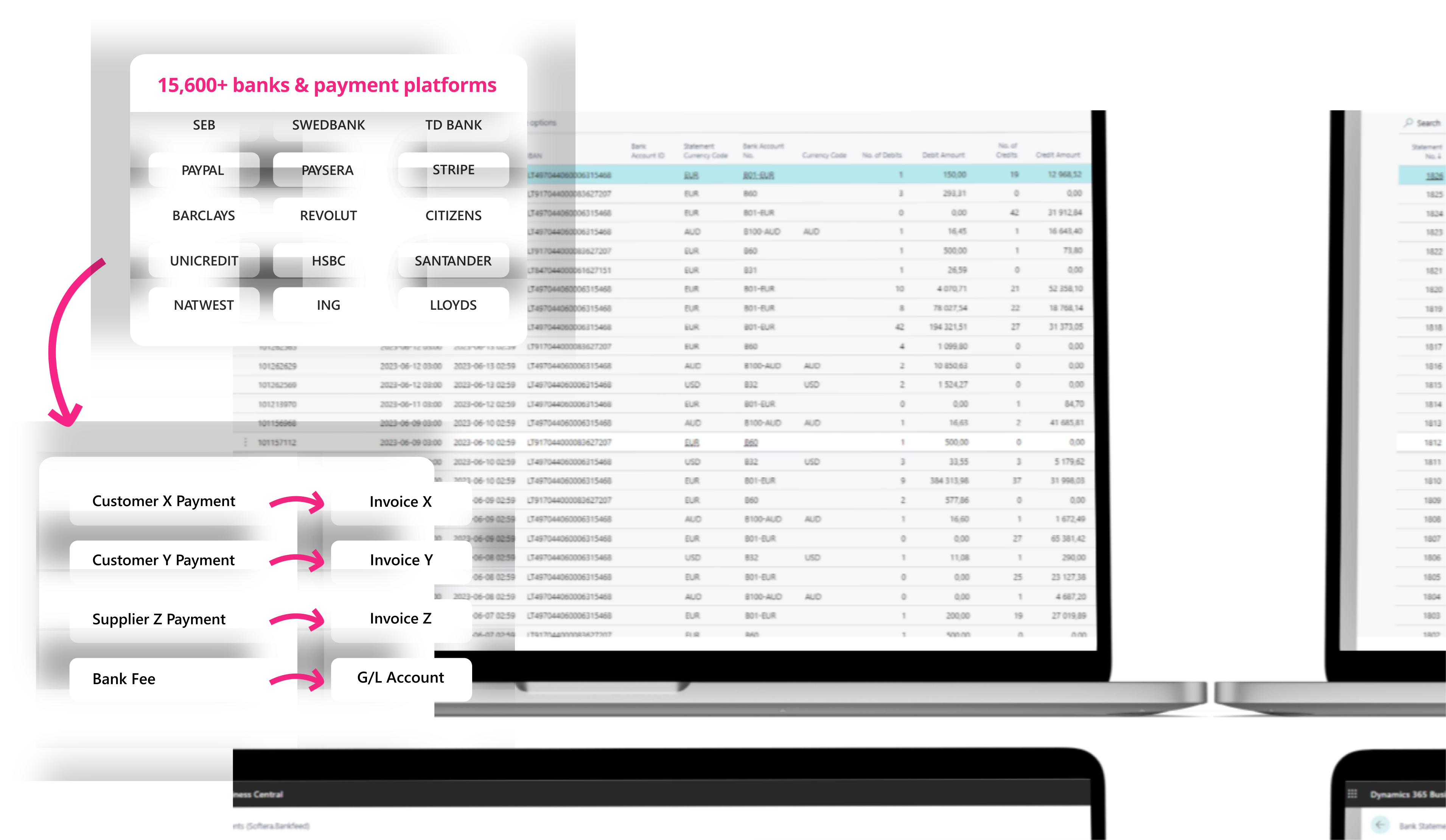
Connect bank accounts and receive statement data directly in Business Central. Review statement periods, bank accounts, currencies, and individual transaction details without any file exports and imports.

2 | Transaction recognition

Automatically identify customers and suppliers using available transaction data such as names, IBANs and payment details. Bankfeed can also leverage user-created rules or AI to determine which document or G/L account a transaction belongs to.

3 | Payment reconciliation

Match recognized bank transactions with invoices and other Business Central entries, reducing repetitive manual reconciliation work and allowing finance teams process higher transaction volumes more efficiently.

4 | Automatic journal posting

When ready, automate journal posting through the Bankfeed Business Central Job Queue. Select which batches to post and limit posting to recognized or fully applied lines, reducing manual work while keeping control.

BANK RECONCILIATION MADE EASIER

Built inside Microsoft Dynamics 365 Business Central  

Bankfeed is an add-on for Microsoft Dynamics 365 Business Central, so reconciliation work remains within the ERP environment used by the finance team. It extends the familiar Business Central banking and journal processes with automated statement import, transaction recognition and reconciliation capabilities.

IMPROVE PAYMENT MANAGEMENT THROUGH AUTOMATION

Benefits of Bankfeed

By bringing bank data and reconciliation automation into Business Central, Bankfeed helps accounting teams reduce repetitive effort while improving the speed, visibility and consistency of payment processing.

Save time on repetitive finance tasks

Replace recurring bank-file downloads, uploads and manual matching with automated data flows and reconciliation support. The payment management processes that usually take hours can be reduced to minutes.

Work with more up-to-date financial data

Access imported transactions directly in Business Central, giving finance teams a more current view of bank activity and paid invoices without waiting for manual statement handling.

Increase reconciliation accuracy

Use structured transaction data and recognition logic to identify counterparties and documents more consistently, helping reduce missed or incorrectly matched payments.

Scale across accounts and banks

Standardize transaction processing as the number of banks and bank accounts grows. Bankfeed supports a broad network of banks and payment platforms across multiple markets.

SEE HOW BANKFEED WORKS IN PRACTICE

Explore automated reconciliation
in Microsoft Dynamics Business Central 

See how bank transactions are imported, recognized and reconciled directly in Microsoft Dynamics 365 Business Central. Book a walkthrough with an Arggo consultant to discuss your banking setup, Business Central environment and the potential fit for Bankfeed.

Discover more about Tasklet & Dynamics

Frequently asked questions 

Once activated, you get full, unrestricted access to all features and capabilities for 30 days.
Yes. Because the service is provided on a flexible subscription model, you can cancel your plan whenever you choose by contacting support.
While exact performance depends on data quality and configuration setup, the system typically achieves an automated match rate of 95% or higher. Additionally, every recognized payment continuously improves and refines the underlying reconciliation rules.
Bank statement data is securely transmitted via API directly into Microsoft Dynamics 365 Business Central and stored in a designated table. The platform maintains a log of statement files and automatically generates Payment Journal entries. During this process, incoming payments are matched against outstanding customer invoices. Depending on your settings, these entries can be posted automatically or flagged for manual review. Unmatched items remain in the journal for easy manual resolution.
The system uses pre-configured recognition rules executed in sequence to scan for open entries. When a match is identified—using criteria like invoice numbers, customer IDs, payment references, or exact amounts—an entry is created, and the system seamlessly moves on to process the next transaction line.

Connection issues usually stem from one of two common causes:

  • Insufficient authorization levels: The user attempting the connection may lack third-party access permissions for the company's bank accounts. To resolve this, have an authorized executive (such as a CFO or CEO) complete the setup, or contact your banking institution to adjust your user rights.
  • Blocked authentication pop-ups: Local security configurations or firewalls may block the external banking authentication window. If the login pop-up fails to display after selecting your bank and clicking "Next," check your browser or network security settings.


For any other connection difficulties, reach out to the support team directly.

The solution operates strictly via PSD2 / Open Banking APIs, meaning banking credentials are never requested or stored. Security is protected across multiple layers:

  1. Strong Customer Authentication (SCA): Multi-factor login is handled directly on your bank's secure portal. Passwords, PINs, and single-use codes are never exposed to the application.
  2. Explicit AIS Consent: Access is restricted to Account Information Services (AIS) for approved accounts only. This provides read-only visibility into transaction data rather than payment execution authority.
  3. Token-Based Credentials: Using OAuth 2.0 protocols, access is governed by short-lived, encrypted API tokens rather than static login details.
  4. Scoped & Revocable Permissions: Access tokens are bounded by explicit timeframes and permissions set at the bank level. You can revoke access at any point without altering your main banking credentials.
  5. Encrypted API Communication: Data in transit is protected using eIDAS-compliant TLS/mTLS encryption protocols.
  6. Business Central Security Framework: The application runs inside your native Microsoft Dynamics 365 Business Central tenant, leveraging Microsoft Entra ID authentication, granular security roles, tenant isolation, and full data encryption at rest.

Products and Services

Looking for
something else? 

Explore our full portfolio of comprehensive solutions and services, from custom software development to business consulting and automation. Whatever your business needs, we deliver tailored solutions that streamline processes and enhance efficiency.

Services

Expert consulting and implementation to drive digital growth.

Industries

Strategic tech solutions for innovation in any industry.

Media Hub

Connect with us and discover the latest articles, apps and events from Arggo.

Careers

Join us in shaping the future of business with innovation and performance.
Let's connect!

Subscribe to our monthly newsletter

Newsletter Subscribe